
Smart Grocery & Expense Management
Overview
Grocery List - Smart is a productivity-focused desktop application designed to streamline shopping and financial tracking tasks. The software enables users to create and manage multiple types of lists, including grocery, shopping, gift, and party lists, all within a unified interface. By integrating categorization, purchase tracking, and quantity management, the app supports efficient and organized shopping experiences. It is tailored for individuals seeking a centralized solution for both daily errands and event-based planning. The app is developed by Digi Novate and available exclusively for iPhone devices. Its core purpose lies in simplifying the process of list creation and expense monitoring, reducing the likelihood of oversights during shopping trips. Real-world use cases include weekly grocery runs, holiday gift preparation, and managing household budgets. The inclusion of user registration allows for seamless access to personalized data across devices, enhancing continuity for users who switch between multiple devices. Offline functionality ensures that users can update their lists without requiring an active internet connection, which is particularly useful in areas with limited connectivity. The app also incorporates recipe integration and expense tracking tools, positioning it as a multifunctional utility for modern household management.
Key Features & Capabilities
- Multilist Management – Users can create and organize various types of lists, including grocery, shopping, gift, and party lists, each tailored to specific needs and occasions.
- Categorization & Tracking – Items can be assigned to categories, marked as purchased, and quantities tracked, improving organization and reducing shopping time.
- Cloud Sync via Login – User registration enables access to personalized lists across devices, ensuring data consistency and convenience for users with multiple Apple devices.
- Offline Mode – The app supports full functionality without an internet connection, allowing users to edit and update lists on the go.
- Recipe Integration – Users can link recipes to shopping lists, automatically generating required ingredients for meal planning.
- Expense Tracking – Built-in tools allow users to monitor spending, helping maintain budgets and track financial habits over time.
These features collectively support real-world scenarios such as preparing for a dinner party, managing weekly grocery runs, or planning a birthday gift list. The ability to generate ingredient lists from recipes reduces manual input and minimizes the risk of missing key items. Expense tracking complements shopping management by providing insight into spending patterns, making it a valuable tool for budget-conscious users. The combination of offline access and cross-device sync ensures reliability and accessibility, regardless of connectivity or device type.
User Interface, Workflow & Performance
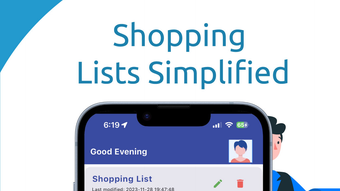
The user interface of Grocery List - Smart is designed for simplicity and intuitive navigation. The layout prioritizes ease of access to core functions such as list creation, item editing, and status updates. Users can quickly add items, assign them to categories, and mark them as purchased using minimal taps. The workflow follows a logical sequence, allowing users to transition smoothly from list creation to tracking and updating. Navigation is streamlined through a tab-based or menu-driven structure, typical of iOS applications. The app maintains consistent visual cues and feedback, contributing to a seamless user experience. Performance observations are based on general software behavior patterns, as specific benchmarks were not provided. The developer did not specify resource usage details, so CPU and RAM behavior remain unknown. Stability is expected to be consistent with standard iOS app standards, though no formal testing data was shared. Overall, the app appears optimized for smooth interaction, with responsive controls and minimal lag during routine operations.
Compatibility & System Requirements
Grocery List - Smart is designed for iPhone devices and runs on the iOS operating system. The current version is 1.0.5, with a file size of 45.6 MB. The developer did not provide additional system requirements. Compatibility information was partially provided, indicating that the app is intended for iPhone users. Exact hardware requirements, such as minimum processor speed or available storage beyond the app size, were not specified. Users should ensure their device meets the general requirements for running iOS apps, including sufficient free space for the app and its data. The app supports offline usage, meaning it can function without an active internet connection. Updates are available through the App Store, and users are encouraged to keep the software up to date for optimal performance and security.
Pros and Cons
Pros
- Free to download and use, with no in-app purchase barriers
- Supports multiple list types for diverse use cases
- Offers cross-device sync via user login for data continuity
- Includes offline functionality for uninterrupted use
- Integrates recipe-based list generation for smarter planning
- Combines shopping lists with expense tracking for budget control
Cons
- Not available on other platforms beyond iPhone
- Exact system requirements were not listed
- Performance metrics and resource usage details were not provided
- Limited to iOS ecosystem, reducing accessibility for non-Apple users
- App size may impact storage on devices with limited space
FAQ Section
Is Grocery List - Smart available for Windows or Mac?
The app is currently available only for iPhone devices and is not compatible with Windows or Mac operating systems.
Can I use Grocery List - Smart without an internet connection?
Yes, the app supports offline mode, allowing users to create, edit, and update shopping lists without an active internet connection.
Does the app require a subscription or in-app purchases?
Grocery List - Smart is free to download and use, with no mention of subscription models or in-app purchases in the provided information.
How does user registration work?
Users can register and log in to access personalized lists across devices. This feature enables data synchronization and ensures continuity when switching between iPhone devices.
Is the app secure and private?
The developer did not provide specific details about data encryption or privacy policies. However, as a standard iOS app, it follows Apple’s security guidelines for data handling.
Final Thoughts
Grocery List - Smart delivers a focused and practical solution for managing shopping tasks and personal expenses. Its integration of list types, recipe-based planning, and expense tracking makes it a versatile tool for everyday users. The ability to sync data across devices and function offline enhances its reliability and usability in various environments. While the app is limited to iPhone users and lacks detailed system specifications, its core functionality is well-executed and user-friendly. For individuals seeking a free, all-in-one shopping and budgeting utility on iOS, this app stands out as a strong choice. It effectively combines organization, convenience, and smart planning features in a lightweight package. Download Grocery List - Smart now to simplify your shopping routine and take control of your household expenses.







